Operations and reporting platform for Asterisk PBX
Monitor, manage, and report on calls and queues from one screen. Get AI-powered transcripts, summaries, conversation assessments, and quality scores for recordings. BeePanel runs on your own server.
Works with Asterisk 12 and newer, including FreePBX and Issabel. Setup checks what your PBX supports.
No per-user fees
One perpetual license covers one PBX, so the price stays the same as your team grows.
Your PBX setup stays as it is
BeePanel never overwrites the configuration your PBX manages, so your calls keep routing as they do today.
Your data stays with you
Call data stays on your server. A recording is sent to BeeSTT only when a permitted user requests a transcript.
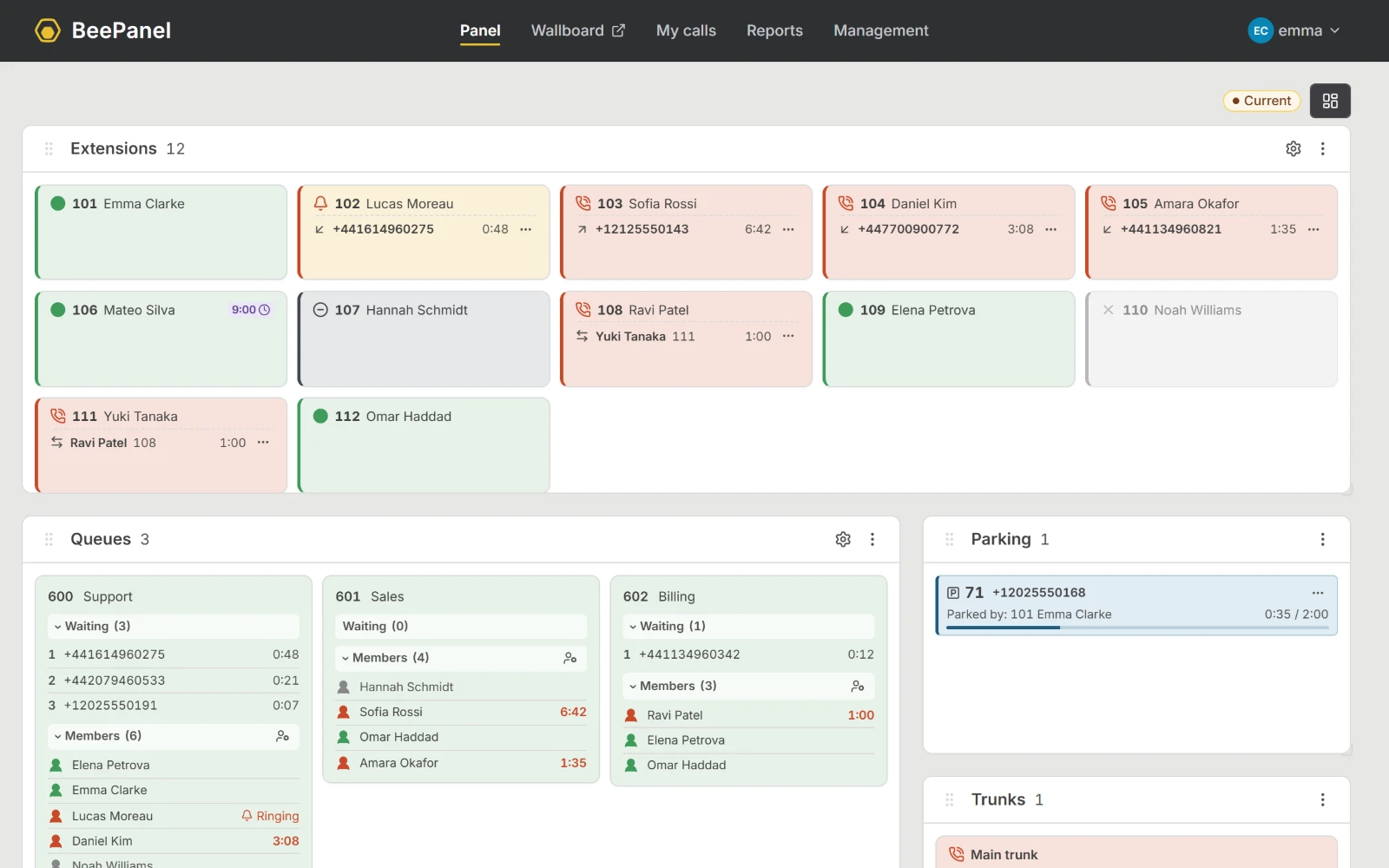
See every call live and handle it from the panel
- Extensions, queues, trunks, and parked calls on one screen
- See who is calling and how long each call has lasted
- Transfer, park, pick up, or hang up
- As a supervisor, listen in, whisper to the agent, or join the call; each is a separate permission
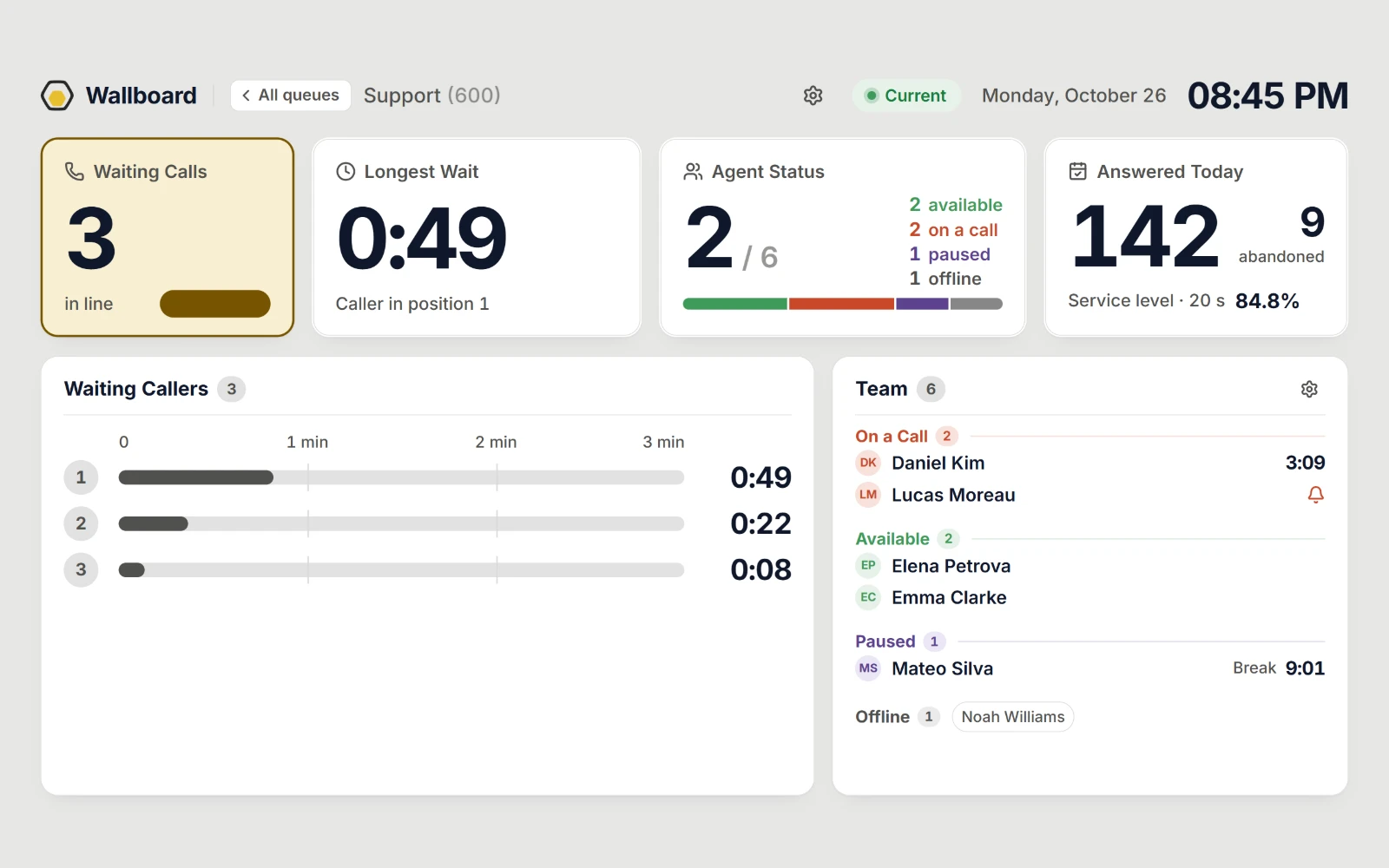
Watch queues and manage agents
- See which agents are available, on a call, or paused
- Pause agents, and add them to or remove them from queues
- The wallboard shows queue status to the whole team on a big screen; Pro adds the day’s totals
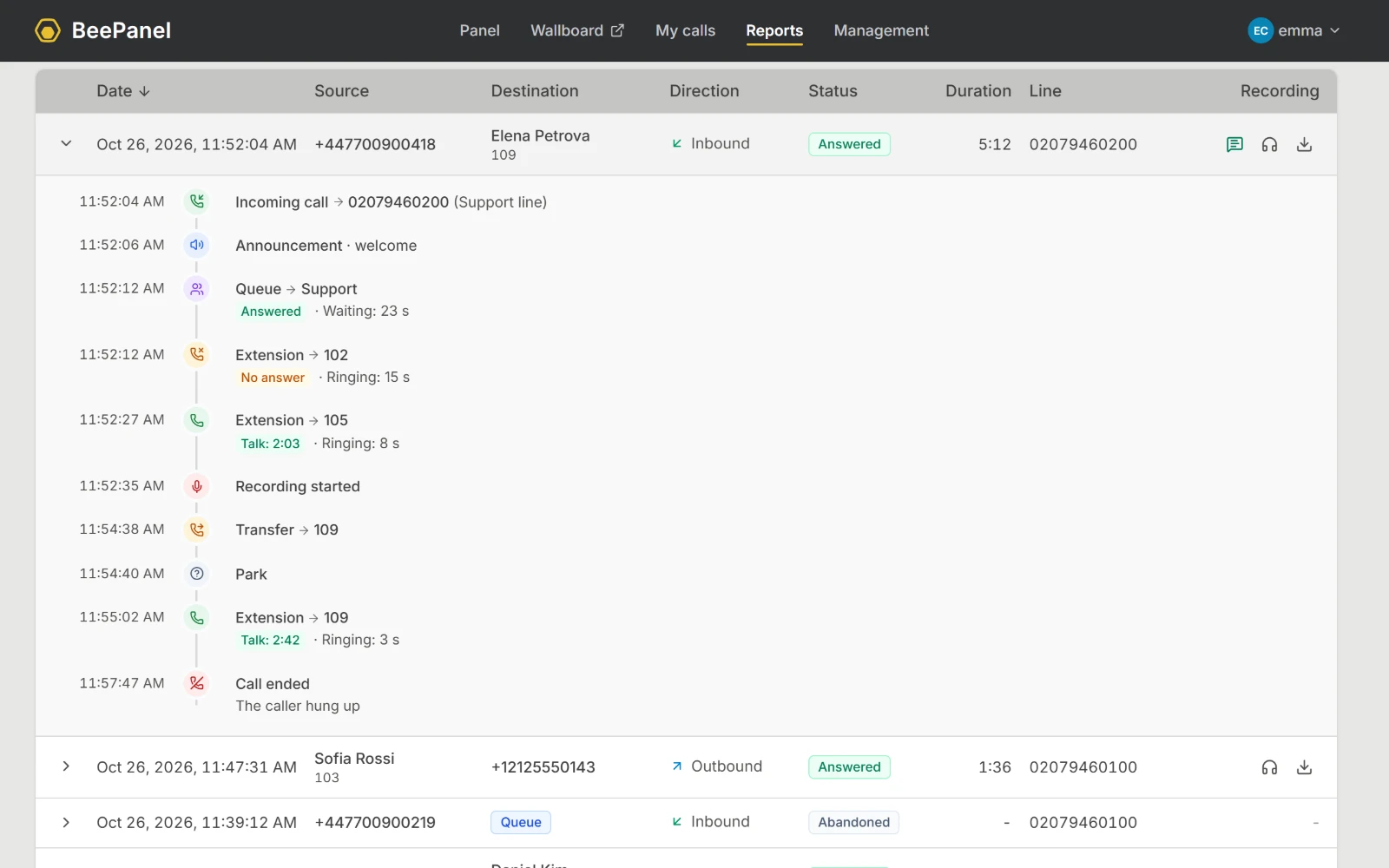
See everything that happened in a call, start to finish
Review transfers, queue steps, and parking together in one call.
- Everyone finds their own calls in My Calls; permitted users see the whole company
- Find a call by number, name, or date
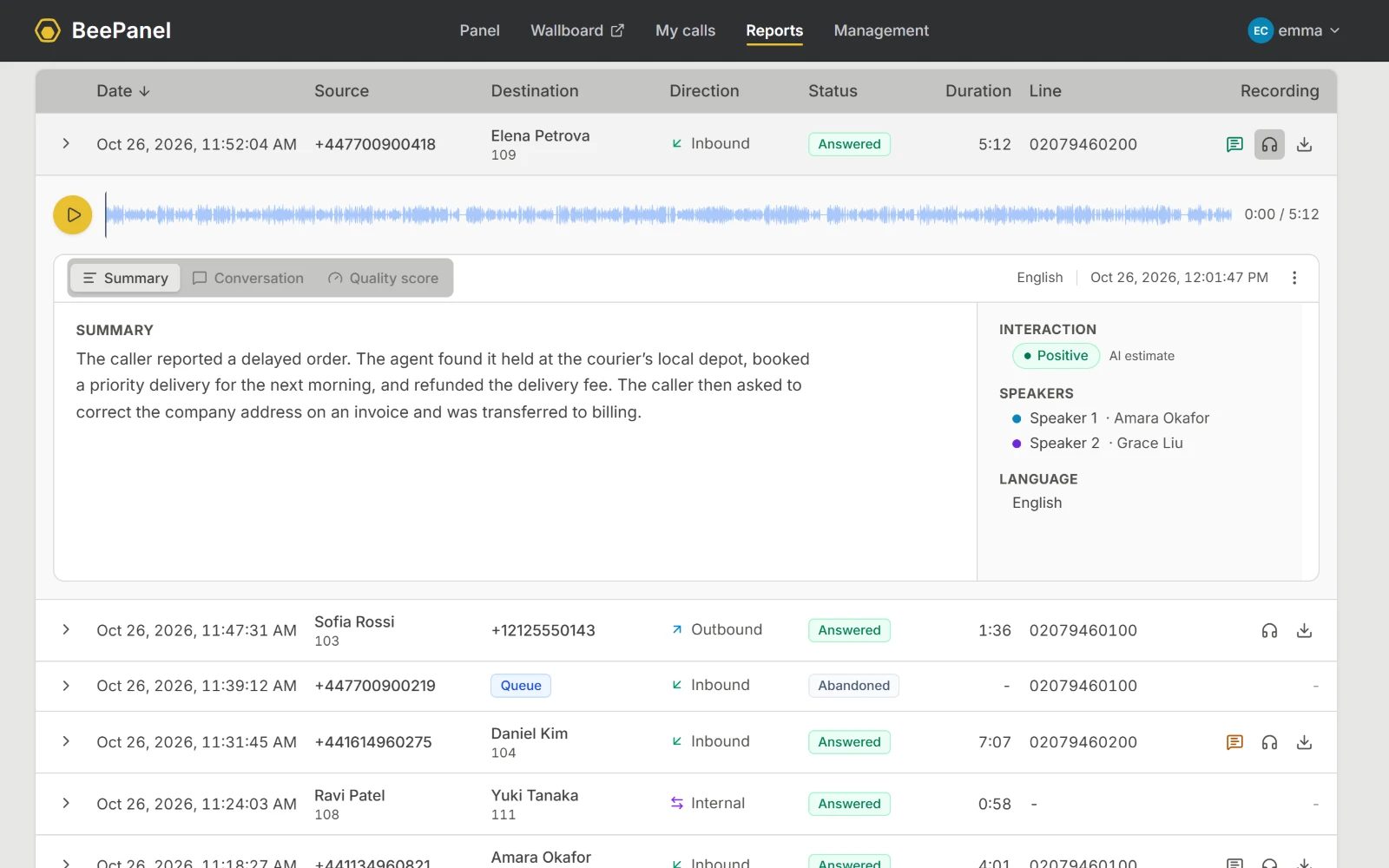
Know what a call was about without replaying it
- A short summary and a transcript with speaker labels
- Tense calls stand out by color in the call list
- Permitted users play or download the recording
- Transcripts are stored with the call on your server
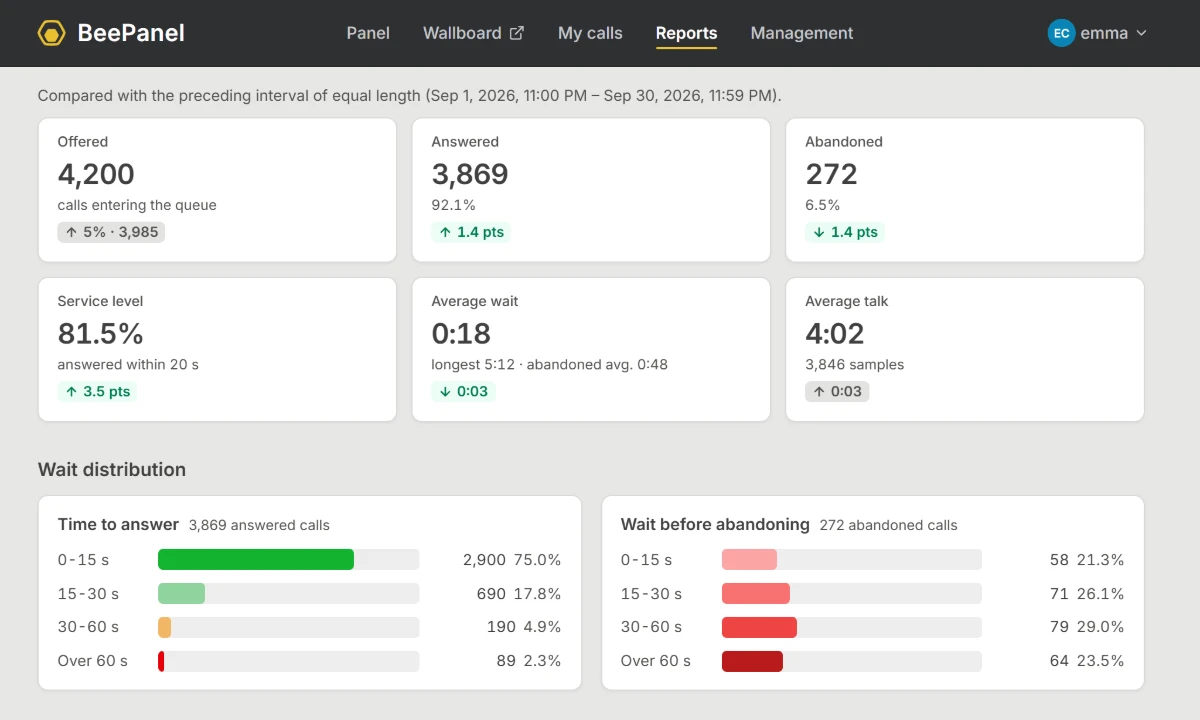
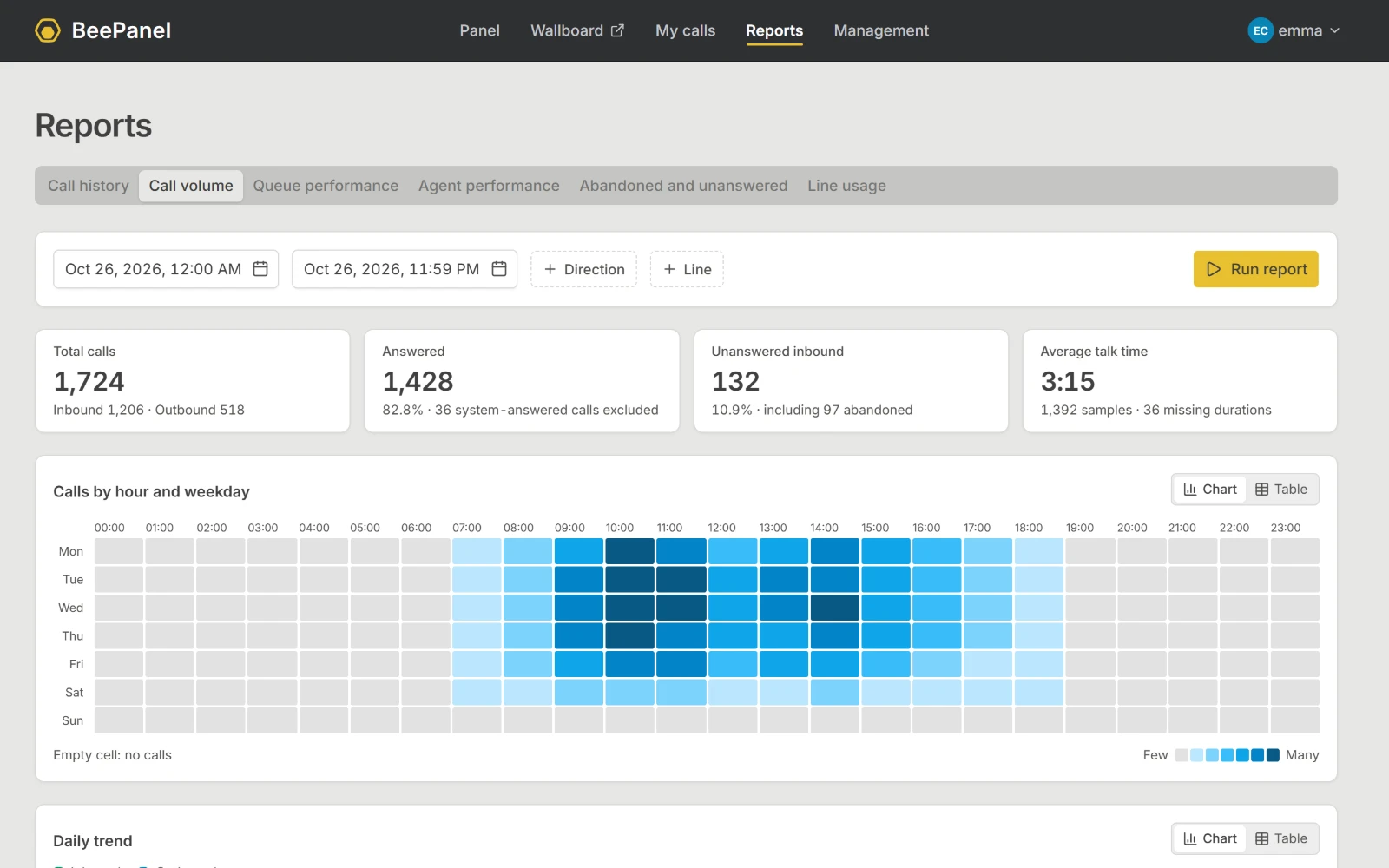
Measure how your team and queues perform
- See peak hours, abandoned calls, and agent performance
- Export call history, agent performance, and abandoned calls as CSV
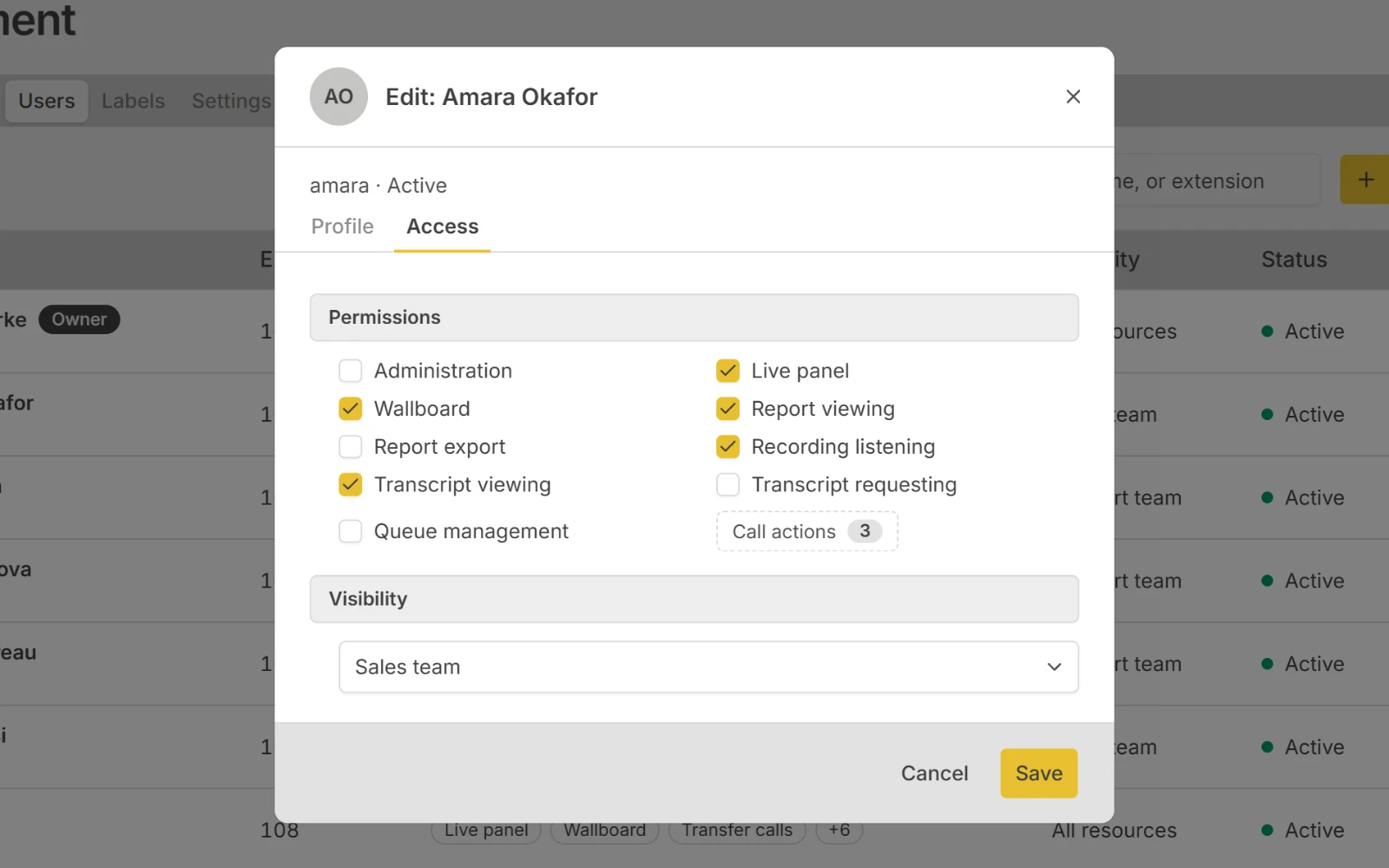
Everyone sees only what their job needs
- Choose who sees which extensions, queues, and trunks
- Separate permissions for transfer, listening, and recording access
- Listening and recording access stay off until you turn them on
Unlimited users, one license per PBX
Standard
Run the day: live panel and call actions
- Live panel, call actions, and queue-agent control
- Full-screen live wallboard
- Users, permissions, and visibility presets
Pro
Look back too: call history, recordings, transcripts, and reports
- Everything in Standard
- Call history, My Calls, and multi-leg call detail
- Recording playback, transcripts, reports, and CSV export
The first year of updates is included. See prices and compare editions →
Try every Pro feature free for 15 days
No payment details needed. BeePanel installs on a Linux server, ideally the one your PBX runs on.
-
Run the command
One command installs BeePanel on your server.
-
Complete the wizard
The wizard connects to your PBX and detects its settings; you confirm them.
-
Try it for 15 days
When the trial ends, activate a license; your data and settings stay as they are.
Transcription requires BeeSTT credits; the trial does not include credits.